

Eliminate plaintext secrets in code
You can store your project secrets in 1Password Environments, then use 1Password CLI to securely read those secrets into your applications and scripts. Environments are dynamic: if you update your variables in 1Password, the changes will be reflected in your project without needing to update the code directly. You can also share Environments with other people on your team, so everyone can stay in sync. For example, you can create an Environment for a development context, likeiOS App Staging, then use op run --environment <environmentID> to provision your app with your staging secrets. Changing to a different development context like production is as simple as pointing to a different ID associated with an Environment that stores your production values.
Learn more
Automate administrative tasks
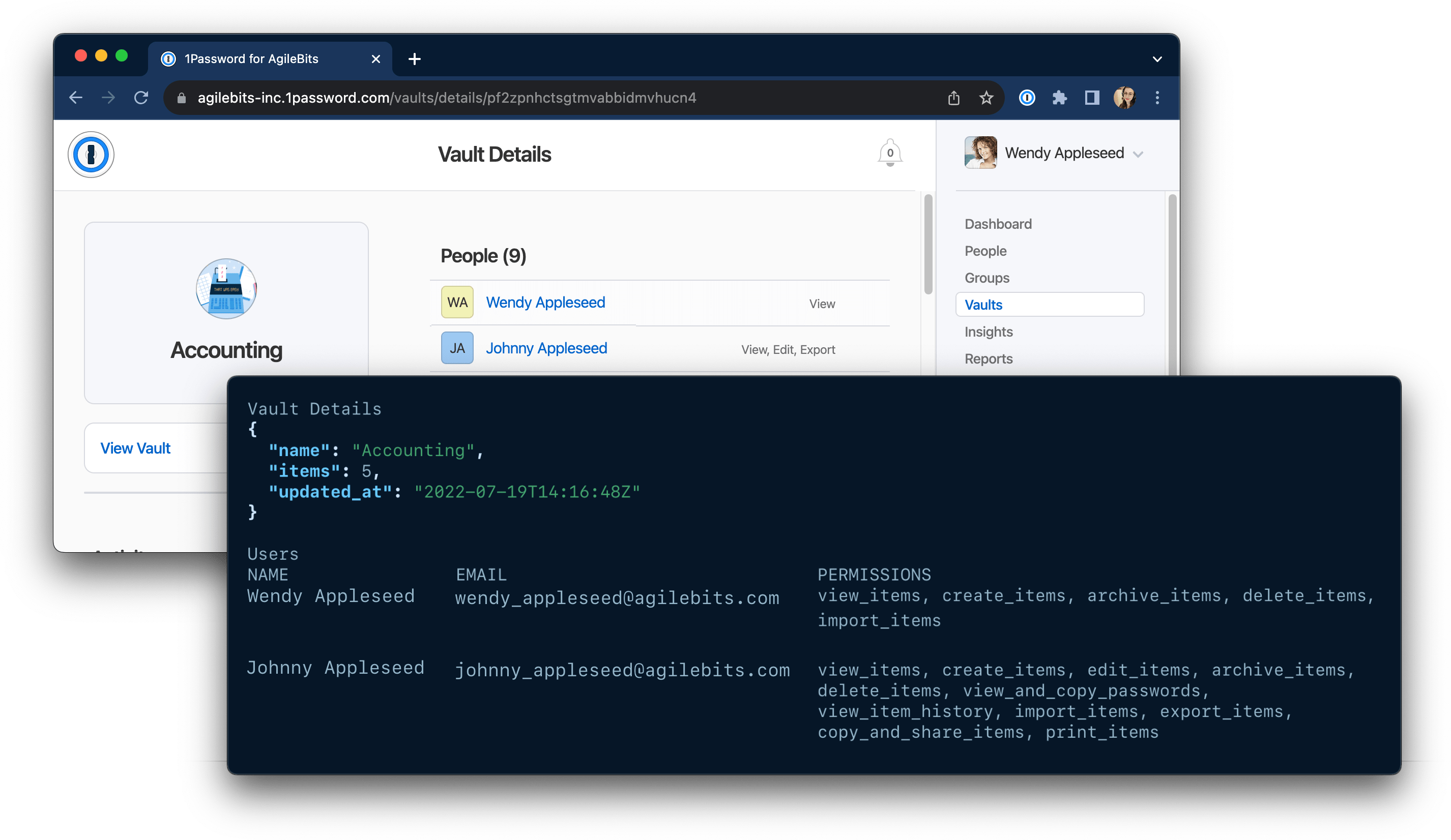
- the vault name
- the number of items in the vault
- the last time the vault’s contents were updated
- the users and groups that have access to the vault along with their permissions
vault_details.sh
Learn more
See our repository of example 1Password CLI scripts for inspiration for your own projects. You’ll find scripts that can help you:
To learn more about how to accomplish these tasks with 1Password CLI, see the following guides: