1Password CLI supports item JSON templates that you can use to take control of how you create items in 1Password. Item JSON templates allow you to create an item with all of its details specified, including custom sections and fields. Item templates are formatted similarly to the JSON output for op item get, so you can easily create new items based on existing items. Each item category has its own template. You can get a list of all item categories with op item template list. And you can retrieve the template for an item category with op item template get <category>.

Item template keys

Item JSON templates have common language keys that allow you to identify how the fields in the template correspond to the item in 1Password.
{
  "title": " ",
  "category": " ",
  "sections": [
    {
      "id": " ",
      "label": " "
    },
  ],
  "fields": [
    {
      "id": " ",
      "section": {
        "id": " "
      },
      "type": " ",
      "label": " ",
      "value": " "
    }
  ]
}
Item
NameDescription
titleThe name of the item displayed in 1Password.
categoryThe item’s category.
Section
NameDescription
idThe identifier for the section. If the item has multiple sections, each ID must be unique.
labelThe name of the section displayed in 1Password.
To add a custom section, insert a section JSON object into the sections array.
    {
      "id": " ",
      "label": " "
    }
Field
NameDescription
idThe field’s ID. Each ID should be unique. If left empty, 1Password will generate a random ID.
section idThe ID of the section where the field is located. Only required if located in a custom section.
typeThe field’s type. Learn more about custom field types.
labelThe name of the field displayed in 1Password.
valueThe information saved in the field. Depending on its type, it can be a string, a secret, a number, or a date.
To add a custom field to the template, insert a new field JSON object into the fields array.
    {
      "id": " ",
      "section": {
        "id": " "
      },
      "type": " ",
      "label": " ",
      "value": " "
    }

Example JSON representation

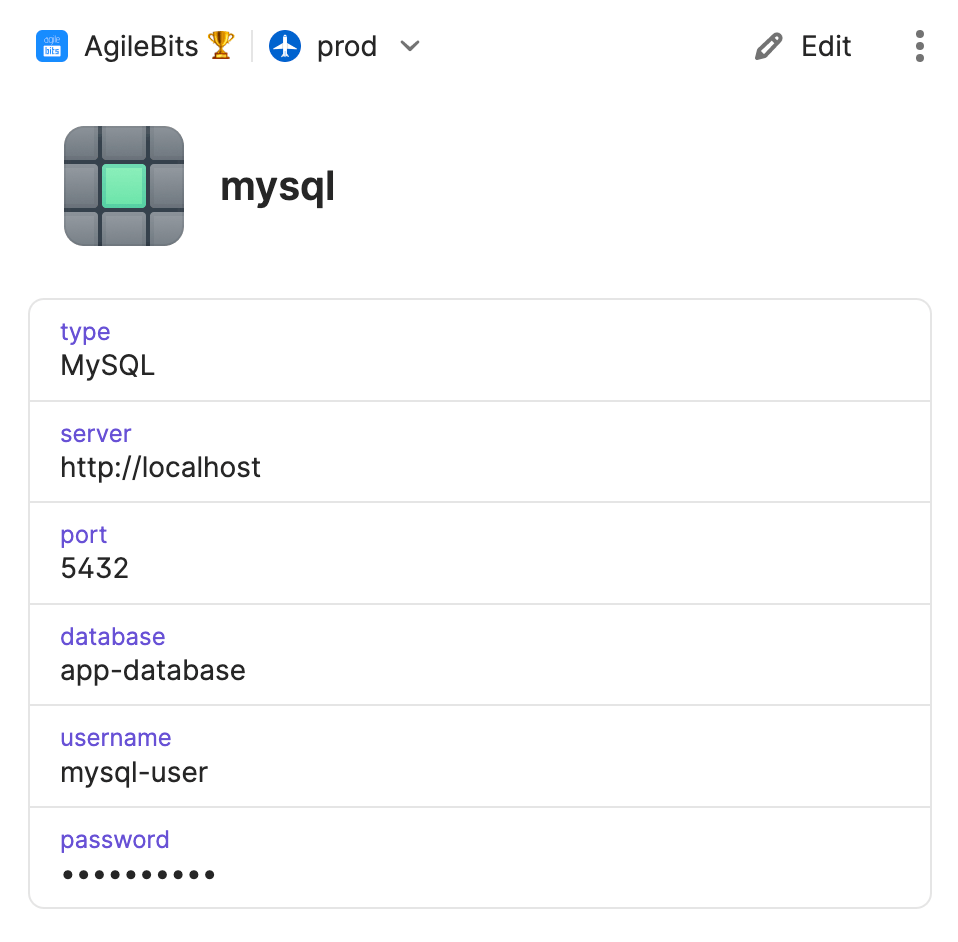
This is an item mysql in the 1Password app, and the same item represented in an item JSON template.
MySQL item in 1Password

Learn more